

Most families don't have a records problem. They have a findability problem.
The passport exists. The insurance policy exists. The pediatrician's after-hours number exists somewhere in a text thread from 2022. The issue is that nobody can locate any of it in the ninety seconds that actually matter—when a basement pipe bursts, when a parent is admitted to the ER, when a kid needs a form signed before 8am or they can't go on the field trip.
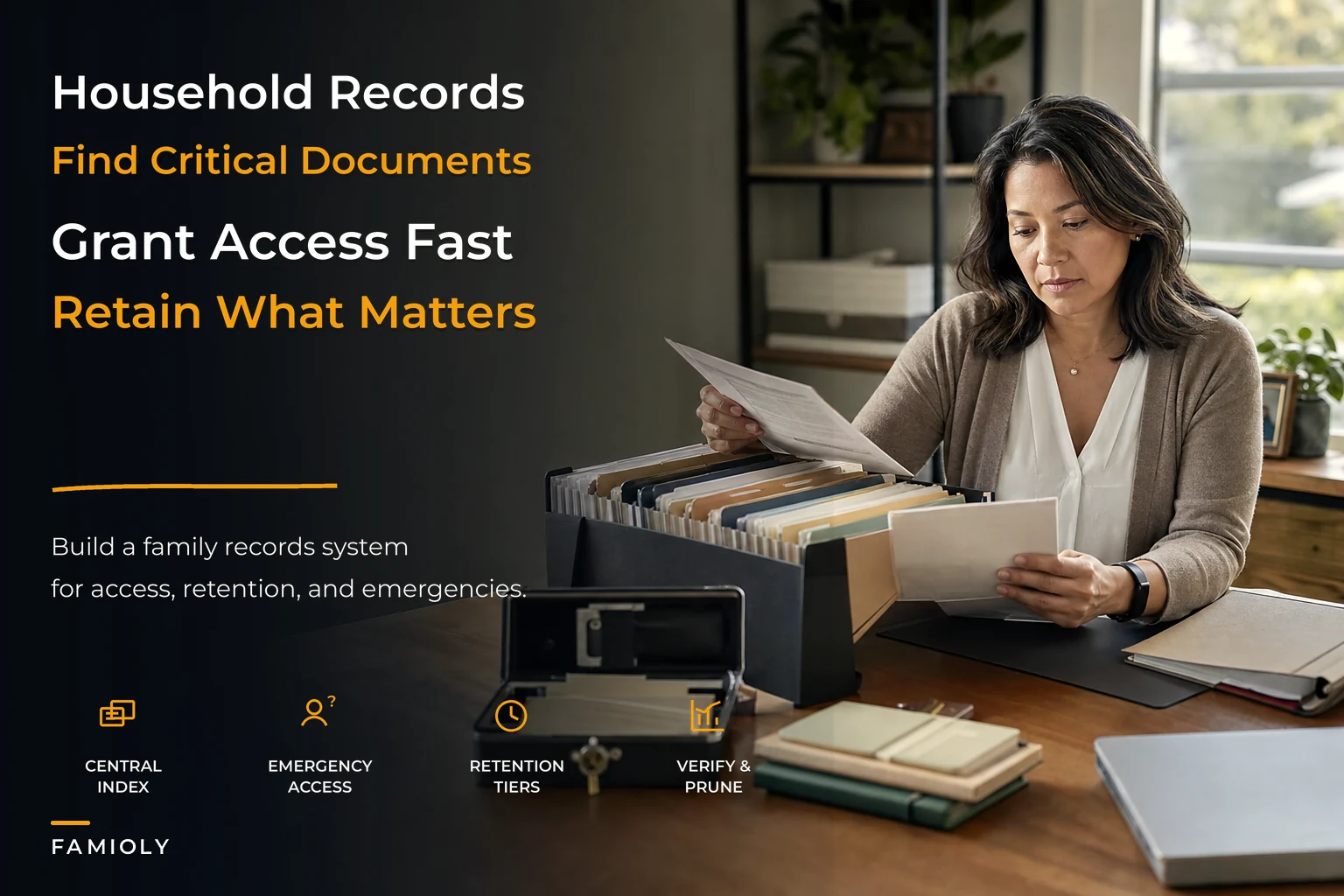
What's missing isn't storage. It's a system that answers three questions cleanly: Where does this live? Who can get to it in an emergency? And when do we delete it? That's the whole job of a household records access OS. Not a shoebox. Not fourteen apps. One index, one emergency path, and a set of rules for how long things stick around.
Why the pile grows faster than the system
Household records multiply along life events, not along any logical plan. A marriage adds a dozen documents. A new baby adds a social security card, birth certificate, pediatric records, a 529 account, and a stack of insurance updates. A home purchase dumps a hundred pages of closing documents into your life in a single afternoon.
Nobody sits down and designs for this. The documents arrive reactively, so the storage is reactive too. Some end up in a filing cabinet, some in email, some photographed on a phone, some left in the original envelope on the kitchen counter "for now."
The pattern that keeps showing up: the person who filed the document becomes the only index. Mom knows the mortgage papers are in the blue folder in the office closet. Dad knows the car titles are in the fireproof box. The system works right up until that person isn't available—traveling, sick, or just not picking up the phone.
That single point of failure is the actual risk. A records system that lives entirely in one person's head is functionally indistinguishable from having no system at all.
The three layers that actually matter
A workable setup isn't one giant folder. It's three distinct layers, each solving a different failure.
Stop losing track of household duties.
Famioly helps you organize, assign & complete family tasks efficiently.
- Centralized task management
- Shared family calendar
- Budget & expense tracking
No credit card required
Layer 1 — The index. A single master list of what records exist, what type each is, where it physically or digitally lives, and who "owns" it. The index is not the documents themselves—it's the map. This distinction matters more than people expect, because you can maintain a clean, shareable index even when the underlying documents are scattered across a safe, a bank box, and three cloud accounts.
Layer 2 — The emergency wallet. A tightly scoped subset of the index—only the records someone would need in a genuine emergency—plus a controlled way to access them fast. Think of it as the "break glass" kit. Not everything. The 15–20 items that matter when seconds count.
Layer 3 — Retention rules. A schedule that tells you when to keep, archive, or destroy each document type. Without this layer, the index just grows forever and the signal-to-noise ratio collapses. A good records system shrinks as often as it grows.
Most families build Layer 1 halfway and skip 2 and 3 entirely. That's the gap.
What the index should actually contain
The index fails when people try to make it store the documents. It succeeds when it stays a lightweight catalog. Each entry needs maybe six fields:
-
Document type (passport, deed, policy, medical directive, etc.)
-
Owner (which family member it belongs to)
-
Location (physical spot or digital path—be specific
"Google Drive > Household > Legal")
-
Access level (everyday, restricted, emergency-only)
-
Retention trigger (keep permanently, keep 7 years, delete after event, etc.)
-
Last verified (the date someone confirmed it's actually there and current)
That "last verified" column is the one people drop, and it's the one that saves you. An index with no verification date rots silently. You think the will is current. It's three homes and one child ago.
Keep the index boring and text-based so people actually update it.
One operational note worth making: keep the index itself boring and text-based. The fancier the index, the less likely anyone updates it. The households that keep this current treat it like a grocery list, not a design project. Same discipline behind a working household operating system template—structure light enough that people actually maintain it.
The emergency wallet: scope it ruthlessly
This is where families get it wrong in the other direction. They know emergencies need fast access, so they grant broad access to everything "just in case." Now a teenager, a house-sitter, and a distant relative can all reach the full financial picture. That's not an emergency wallet. That's a leak.
The emergency wallet should carry only what a trusted person needs to act in a crisis—not everything that exists. A reasonable list:
-
Medical
insurance cards, medication lists, allergies, pediatrician and primary-care contacts, advance directives
-
Identity
copies of IDs and passports, SSN references (stored securely, not in plain text)
-
Home
emergency shutoff locations, alarm codes, key locations, primary contractor contacts
-
Financial
one account for immediate cash needs, not the full portfolio
-
Legal
power of attorney, guardianship designations, where the full will lives
Notice what's not there: investment logins, full banking access, tax archives. Those belong in the index with restricted access, not in the wallet that gets handed to whoever's covering.
Access tokens are the mechanism. Instead of giving someone your master login, you give them a scoped, time-boxed way in—a code that opens the emergency subset and nothing else. If you've ever put together a handoff kit for a backup caregiver, this is the same muscle. The contingency planning approach for caregiver absence is basically an emergency wallet in motion: the right subset, handed to the right person, activated in minutes.
Permission templates by document type
Trying to decide access person-by-person doesn't scale. By the time you've got two parents, a couple of kids, an eldercare situation, and a rotating cast of sitters and helpers, bespoke permissions become impossible to track.
The fix is to assign permissions to document types, not individuals. Build a handful of lightweight templates and attach each record to one.
| Document type | Everyday access | Emergency access | Retention rule |
|---|---|---|---|
| Medical records / directives | Parents | Designated backup + ER | Keep; update at each life event |
| Home deed / mortgage | Parents | Attorney / executor only | Keep permanently |
| Insurance policies | Parents | Backup caregiver | Keep active + 1 year after lapse |
| Kids' school & medical forms | Both parents, relevant caregiver | Backup caregiver | Delete at end of school year |
| Tax returns & supporting docs | Parents | None (not an emergency item) | Keep ~7 years, then destroy |
| Warranties & receipts | Household manager | None | Keep until item retired |
| Passwords / financial logins | Primary owner | None (use scoped wallet instead) | Rotate; never store in plain text |
Once the templates exist, onboarding a new document takes ten seconds: what type is this? Attach the template. Done. You stop making individual access decisions and start making one decision per category.
The warranties and receipts row connects to a specific discipline worth its own attention—tagging, triggers, and not losing proof of purchase when a dishwasher dies in year three. If that's a sore spot, the minimal warranty tracking system with tagging and reminders pairs directly with this permission layer.
Retention: the layer that keeps the system usable
A records system that only accumulates eventually drowns you. The households that stay organized are the ones that delete on schedule.
Retention rules tie a trigger to each document type:
-
Event-based deletion — kids' permission slips, old quotes, expired warranties. These disappear the moment their event passes.
-
Fixed-window retention — tax documents (commonly around 7 years), certain medical and employment records. Keep for the window, then destroy.
-
Permanent — birth certificates, deeds, wills, Social Security records. These never leave, but they do get re-verified.
-
Replace-on-update — insurance policies, directives, passwords. The new version overwrites the old, and the old one is destroyed so there's no confusion about which is current.
The silent failure mode here is the "replace-on-update" category. Families keep the old policy and the new one, and when a claim happens, nobody's sure which is active. One current version beats three historical ones. When you update, delete the predecessor.
Run a retention sweep twice a year. Fifteen minutes with the index open, checking last-verified dates and clearing anything past its trigger. It's not glamorous, but it's the chore that makes the whole system trustworthy—an index you've pruned recently is an index you actually believe.
What breaks as the household scales
A single person with a studio apartment barely needs any of this. The system earns its keep as complexity climbs.
Adding a partner doubles the owners and introduces the "whose account is this" problem. The index needs an explicit owner column from day one, or you'll be untangling it later.
Adding kids introduces documents with hard external deadlines—school forms, medical records, activity waivers—and these are the ones that create the most 7am panic. They also tend to need the broadest caregiver access, which puts real stress on your permission model.
Adding eldercare is where loose systems collapse entirely. Now you're managing a second person's medical directives, financial access, and legal documents, often remotely, often shared across siblings who all need visibility but shouldn't all have edit rights. Permission templates and scoped access tokens stop being nice-to-haves at this point. They become the only thing holding coordination together.
The coordination bottleneck is almost always the same: as more people need access to more documents, ad-hoc sharing—a text with a photo, a forwarded email, a shared password—multiplies faster than anyone can track. The index-plus-wallet pattern replaces dozens of untracked micro-shares with one governed structure.
A real scenario
A blended family—two parents, three kids across two previous households, and an aging parent an hour away—was running everything through the mother's memory and a filing cabinet. When she had an unplanned four-day hospital stay, the household basically stalled. The father couldn't find the kids' insurance info for a pharmacy refill, didn't know which of two auto policies was current, and had no access to the grandfather's care contacts.
Nothing catastrophic happened, but the week cost real money and real stress: a refill paid out-of-pocket (around $180 they shouldn't have spent), a missed school deposit, and two full evenings reconstructing information that already existed somewhere in the house.
Afterward they built the three-layer setup. The index took a weekend—roughly 60 documents cataloged, not stored, just mapped. The emergency wallet landed at 17 items with a scoped access code the father and one sibling could use. Retention templates got attached by type in an afternoon. The rough flow looked something like this:
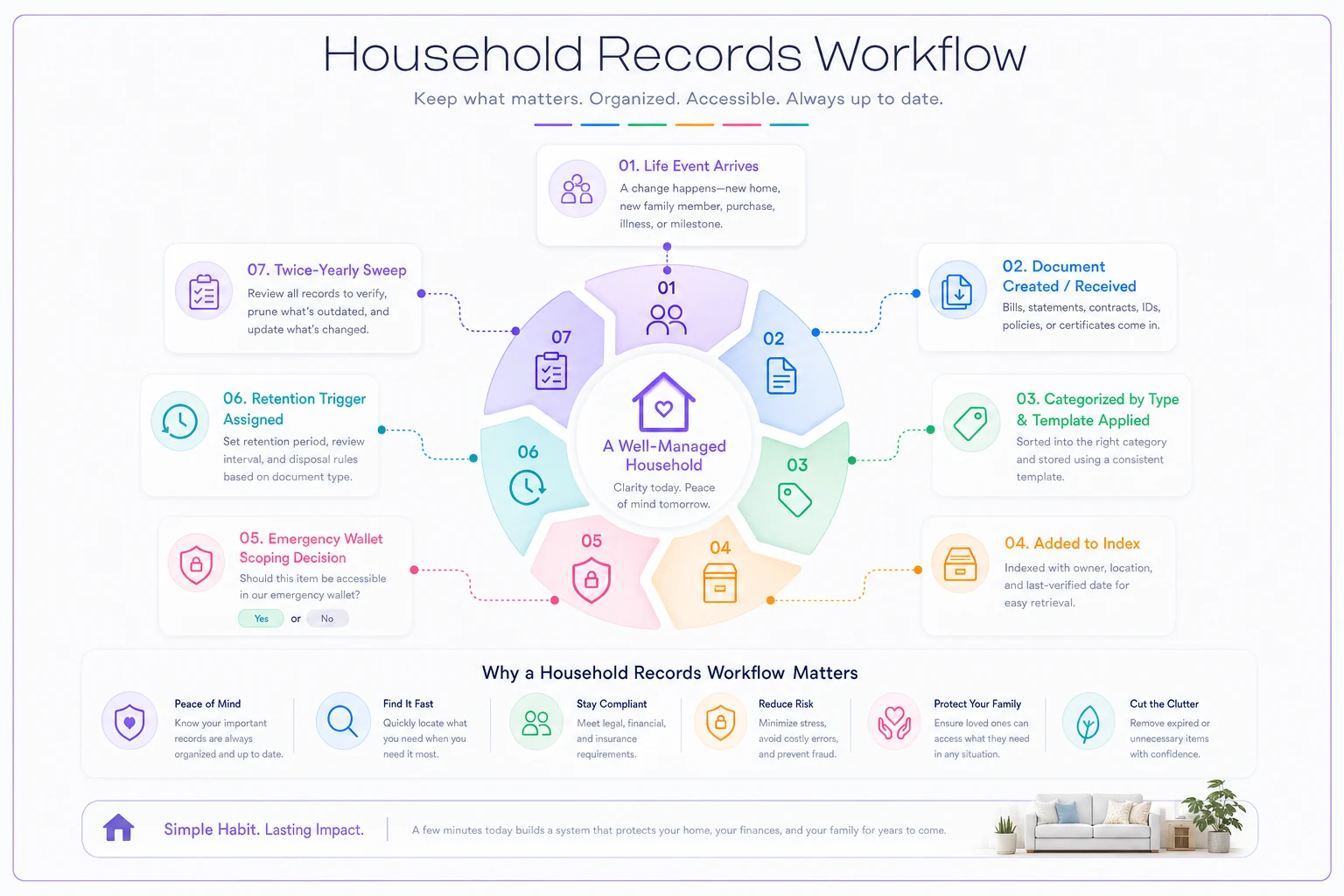
[Life event arrives] ↓ [Document created / received] ↓ [Categorized by type → template applied] ↓ [Added to index with owner + location + last-verified date] ↓ [Emergency wallet? → yes/no scoping decision] ↓ [Retention trigger assigned] ↓ [Twice-yearly sweep: verify, prune, update]
The next disruption was a minor one—a work trip during a sick-kid week—and it was a non-event. The backup caregiver opened the emergency subset, found the pediatric info, handled the refill, and never once needed to call anyone. That's what the system is supposed to do: absorb the shock instead of routing it through the one person who's unavailable.
When this is worth building (and when it isn't)
Build the full three layers when: you've got kids, eldercare, a home you own, or any situation where more than one or two people need reliable access to important documents. The more hand-offs your household runs, the more this pays off.
Keep it minimal when: you're a single person or couple with a simple financial picture. A basic index and a short emergency list is plenty. Don't over-engineer a problem you don't have yet.
Who should NOT do this: anyone tempted to store passwords and SSNs in plain text inside a shared document to make it "easy." The convenience isn't worth the exposure. Use proper secure storage and scoped access tokens for anything sensitive, or skip including it in the shared layer entirely. A records system that leaks is worse than a pile of paper nobody can find.
Where software quietly helps
You can run all of this with a spreadsheet index, a password manager for the sensitive items, and a twice-a-year calendar reminder for retention sweeps. Plenty of families do, and it works fine.
Where a dedicated platform earns its place is in the coordination seams—keeping access tokens scoped and time-boxed, firing retention reminders automatically so "last verified" dates don't silently rot, and letting you attach a permission template to a document type instead of managing access person by person. The value isn't magic; it's removing the manual upkeep that causes these systems to drift back into "it's in Mom's head" within six months. What AI-assisted platforms do well here isn't anything flashy—they just keep the system current so a human doesn't have to remember to.
Household records don't fail because of bad filing. They fail because the index lives in one person's head, access is either too tight or dangerously loose, and nothing ever gets deleted.
Fix those three things—a shared index, a scoped emergency wallet, and retention rules by document type—and the whole operation stops depending on one person being reachable on their worst day. The households that get this right aren't the ones with the most organized filing cabinet. They're the ones where anyone who needs a document can find it, fast, without calling the one person who's currently unavailable. Start with the index, map what you have, then carve out the emergency items and lock down access. Retention rules can come after. Everything else follows from those first two decisions.
Ready to simplify your household management?
Join thousands of families using Famioly to save time, reduce home management stress, and keep the household running smoothly.