

Most homes run on an unspoken access policy that nobody wrote down. The cleaner has a garage code. The dog walker knows where the spare key is. Your sister-in-law has the alarm PIN "just in case." The HVAC guy got the door code last winter and nobody ever changed it. Each decision made sense at the time. Stacked together over a few years, you end up in a situation where you genuinely can't answer a simple question: who can currently get into my house right now?
That question matters more than most people realize. It matters when a contractor's subcontractor shows up unannounced. It matters when a babysitter stops working for you but still has the front-door code. It matters when something goes missing and the honest answer to "who had access" is a shrug.
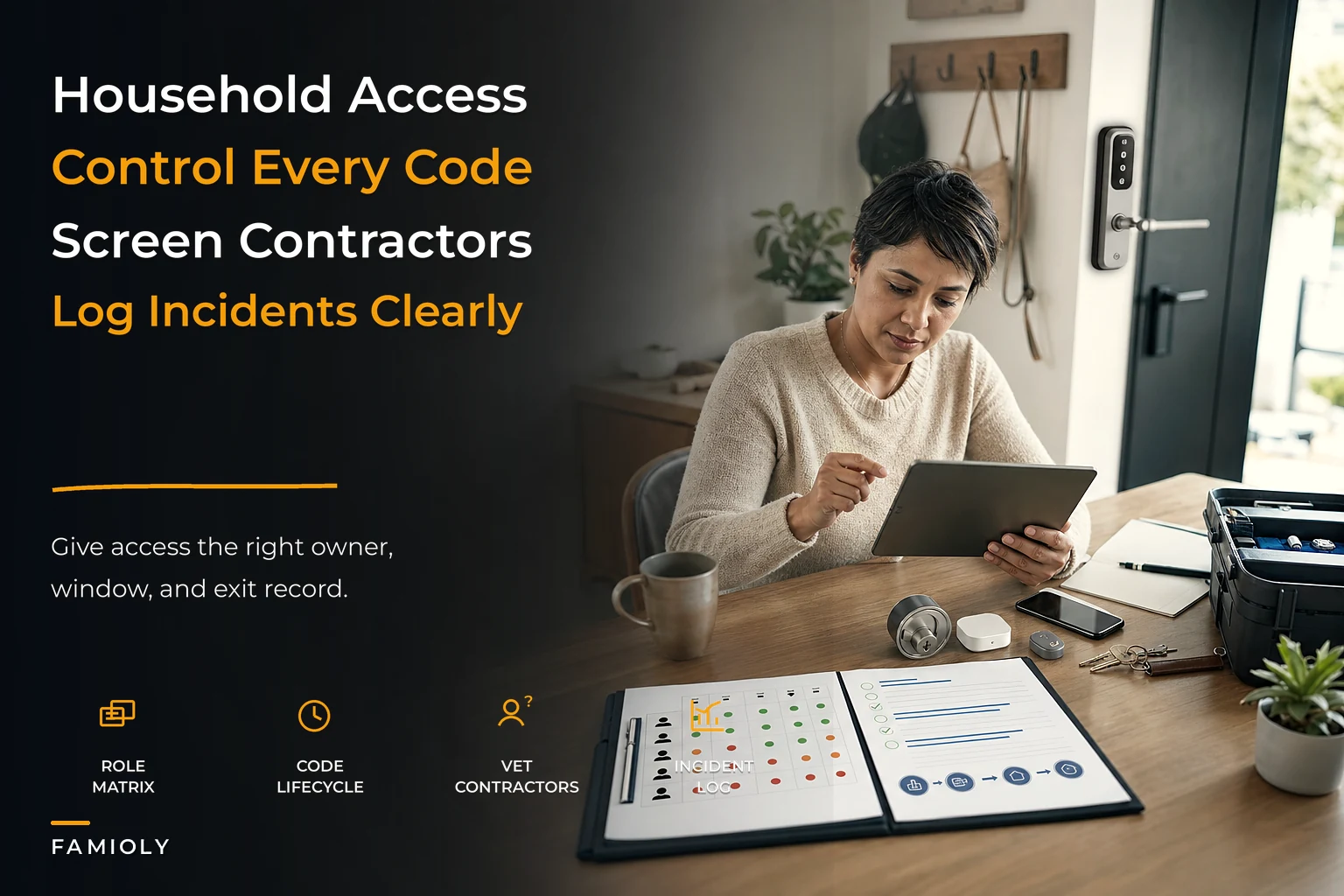
Household access governance is just the practice of making access intentional and tracked instead of a pile of one-off decisions. You decide who gets in, through what method, for how long, and you keep a record. Sounds corporate. In practice it's maybe two hours of setup and a habit of updating one document. The payoff is that your home stops leaking access quietly in the background.
Why access creep happens in almost every home
The core problem isn't carelessness. It's that access gets granted constantly and revoked almost never. Granting is easy — someone needs in, you give them a code, done. Revoking requires you to remember, weeks or months later, that a specific person no longer needs a specific method of entry. There's no natural trigger that forces it.
So access accumulates. A typical household of four, after about five years in a home, has usually handed out entry to somewhere between 15 and 30 people: cleaners, sitters, dog walkers, in-laws, neighbors, contractors, lawn crews, the occasional house-sitter. Most of those people no longer need access. Many of them still technically have it.
The second reason is that access lives in too many places. A physical key under the mat. A smart-lock code. An alarm PIN. A garage remote. A gate code. A Wi-Fi password that gets someone onto your network and your cameras. Nobody holds the full picture, so nobody can audit it. When access is scattered across five systems, "clean it up" never becomes a single task you can actually sit down and do.
And the third reason — the one that actually causes damage — is that the person managing access is usually the same person managing everything else. Access decisions compete with dinner, pickups, and work. They lose. The garage code from the handyman two years ago survives not because anyone decided to keep it, but because changing it never made it to the top of anyone's list.
What breaks as the household scales up
A small, stable household can get away with sloppy access. Two adults, one cleaner, a known neighbor — the surface area is small enough that memory mostly works. The failures start showing up when things get more complex, and there are a few predictable thresholds.
Stop losing track of household duties.
Famioly helps you organize, assign & complete family tasks efficiently.
- Centralized task management
- Shared family calendar
- Budget & expense tracking
No credit card required
When you add recurring paid help. The moment you have a cleaner every other week, a sitter a few evenings a week, and a dog walker on weekdays, you're coordinating three separate access needs on three different schedules. If any of them turns over — and household help turns over constantly — you're left with orphaned codes.
When you start renovations or repeated contractor work. This is where access governance usually collapses entirely. A kitchen remodel might bring 8–12 different people through your door: the GC, two or three of his crew, a plumber, an electrician, a countertop installer, an inspector. Half of them you've never met. The GC hands out your code to "his guys" without telling you. For a few weeks, your home effectively has an open-access policy and no record of who's been inside.
When family structure changes. New partner moves in, a teen starts having friends over while you're at work, an adult child moves back, a parent moves into the in-law suite. Each shift changes who should have access — and usually nobody updates the old arrangement. The ex-partner's code, the former roommate's key, the previous caregiver's PIN all linger.
What breaks specifically is accountability. With five people holding access you can reason about it. With twenty-five, you can't. You lose the ability to connect an event ("the side gate was left open") to a person. You lose the ability to confidently revoke, because you no longer remember what you granted. And you lose the thing that actually deters problems: the knowledge that access is tracked and attributable.
The access matrix: your single source of truth
The fix starts with one document that answers four questions: who, what method, why, and until when. This is your access matrix. It's just a table, and it's the thing everything else hangs off of.
| Person / Role | Access method | Scope | Granted | Expires / Review | Approved by |
|---|---|---|---|---|---|
| Maria (cleaner) | Smart-lock code #4 | Front door, 8am–2pm Tue | Jan 2026 | Review quarterly | Dana |
| Dog walker (Rover) | Lockbox code | Side door, weekdays | Mar 2026 | Review on service change | Dana |
| Grandma | Permanent PIN | All doors | — | Permanent | Both |
| Kitchen GC | Temp code #7 | Front + garage | Apr 1 | Apr 30 (job end) | Chris |
| Neighbor (Sam) | Spare key held | Emergency only | 2024 | Annual confirm | Both |
| Teen's friends | None (supervised) | — | — | — | — |
The power isn't the table itself — it's the discipline of filling in every column. The two columns people skip are the ones that matter most: expires/review and approved by. An access grant with no expiry is how codes live forever. A grant with no named approver is how your household ends up with entry nobody remembers authorizing.
Put the matrix next to your household's central index so it's checked during other routine document reviews.
-
Roles, not just names. "Dog walker" as a row survives even when the specific walker changes. You update the person, not rebuild the row.
-
One method per row. If someone has both a code and a key, that's two rows. You want to be able to revoke one method without touching the other.
-
Everything has a review date. Even "permanent" access gets an annual confirmation. Nothing gets to be invisible forever.
-
One approver, named. In a two-adult household, decide which grants need both of you and which one of you can approve solo. Ambiguity here is how access gets handed out casually.
This connects directly to the kind of records system a household should already be running. If you've set up anything like a central index for important documents, the access matrix lives right next to it — it's the same instinct applied to physical and digital entry.
Temporary codes and their lifecycle
The single biggest upgrade most families can make is treating access as temporary by default. Permanent access should be the rare exception — immediate family, maybe a long-trusted neighbor. Everyone else gets a code with an end date.
Smart locks make this easy, and most people under-use the feature. Instead of one shared code that everyone gets, you create distinct codes per person or role, each with its own schedule and expiry. You know who used which code, you can kill one without disrupting the others, and codes expire on their own so you don't have to remember to clean them up.
-
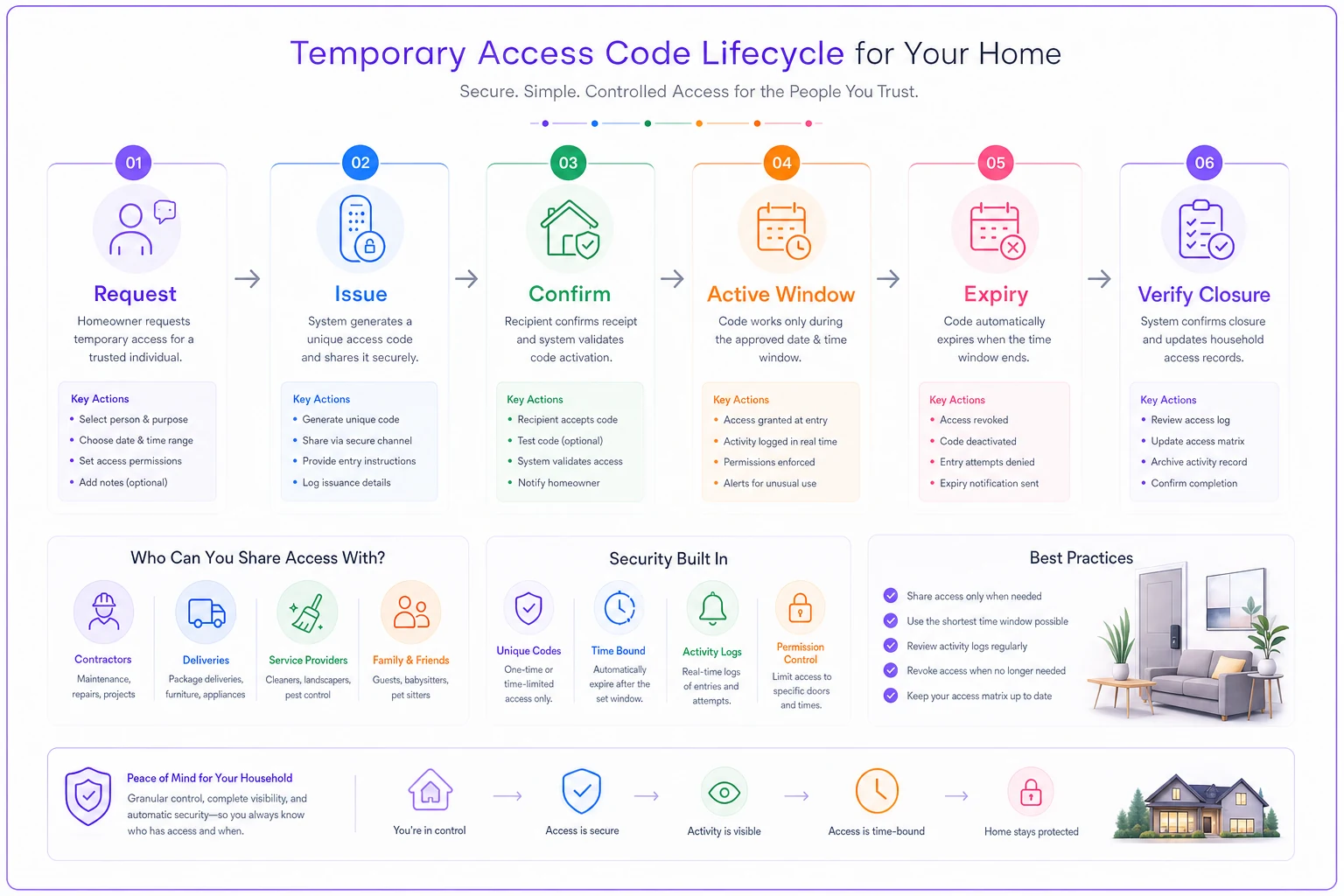
Request — someone needs access; it gets logged in the matrix with a reason.
-
Issue — a unique code is created, scoped to specific doors and hours if the lock supports it.
-
Confirm — the person confirms it works; you note the date it went live.
-
Active window — the code works only during its intended period.
-
Expiry — the code auto-disables at the end date, or you manually revoke.
-
Verify closure — you confirm the code is dead and update the matrix.
Step six is the one families skip, and it's what turns "temporary" codes into permanent ones. A code you meant to disable but never verified is functionally identical to a code you never thought about.
For contractor work specifically, scope codes tight. A countertop installer coming for one morning doesn't need a code that works for two weeks. Give them a window that covers the appointment plus a reasonable buffer, and let it die on its own. If the job runs long, re-issuing takes thirty seconds — far cheaper than a live code floating around after the job's done.
The same logic that makes temporary codes work is what makes caregiver handoffs work. The way you'd structure a ready-to-send handoff kit for caregiver absence overlaps heavily with access: time-boxed, scoped, documented, and easy to revoke when the situation ends.
Visualizing the lifecycle can make it easier to follow in practice.
The single biggest upgrade most families can make is treating access as temporary by default. Permanent access should be the rare exception — immediate family, maybe a long-trusted neighbor. Everyone else gets a code with an end date.
Vetting contractors before they ever get a code
Access governance falls apart if you're handing entry to people you haven't vetted. And contractor vetting is exactly the kind of thing busy families rush, because by the time you're hiring, you usually want the problem solved yesterday.
-
License and insurance verified — actual documents, not a verbal "yeah we're covered." Confirm the insurance is current, not expired last year.
-
Named point of contact — one person responsible for everyone their company sends.
-
Crew disclosure — ask directly
who will physically be in my home, and will you tell me in advance if that changes?
-
Sub-contractor policy — do they use subs, and are those subs vetted and insured too?
-
Background check stance — for anyone working while kids are home or with extended unsupervised access, ask whether their workers are background-checked.
-
Access agreement — a short, clear understanding
your code is for their named crew only, not to be shared, and it expires at job end.
-
References you actually call — two recent clients, and ask them specifically about trust and whether anything felt off.
This vetting feeds the matrix directly. A contractor who passes gets a scoped temporary code and a dated row. One who dodges the crew-disclosure question tells you something useful before they ever touch your door code.
Vetting also pairs naturally with how you manage home upkeep more broadly. If you run a lifecycle maintenance calendar with warranty triggers, you can see recurring service needs ahead of time — which means you vet the HVAC tech or the roofer calmly, in advance, instead of under pressure when something's already broken.
Incident logging: the part nobody wants but everyone needs
Most access incidents aren't dramatic. They're small and ambiguous: the back gate was unlatched, the alarm went off during a cleaning window, a tool went missing after a repair, the dog got out. Individually, each one is forgettable. The problem is that because they're forgettable, patterns never surface. The gate being open three separate times after the same crew visits is a signal — but only if someone wrote down the first two.
An incident log should be deliberately boring. You want a low-friction place to jot down anything access-related that felt off, with just enough detail to spot patterns later:
-
Date / time
-
What happened (one line)
-
Who had access during that window (pull from the matrix)
-
Resolution / action taken
-
Follow-up needed?
The link between the incident and the matrix is what makes this useful. When you log "side door found unlocked, 2pm Thursday" and your matrix tells you who had a code active at 2pm Thursday, you've turned a vague worry into a specific question. That doesn't mean someone's guilty — it means you can ask, adjust, or watch. Without the matrix, the log is just a list of anxieties. With it, it's an accountability trail.
A useful habit: review the incident log during whatever regular household check-in you already run. Nothing most weeks. But quarterly, you glance back and notice the two gate incidents, or that every time a particular service came through something felt off. That's governance working — quietly, catching the slow drift before it becomes a real problem.
When this level of structure actually makes sense — and when it doesn't
It makes sense when you have recurring paid help, you're going through renovations or repeated contractor work, your household structure is changing, you've got high-value items or specific security concerns, or multiple adults in the home can grant access independently. The more people who can hand out entry, the more you need a shared record — otherwise you each know half the picture and nobody knows all of it.
It's overkill when you're two adults, no regular help, no contractors, and you can list everyone with access from memory in under thirty seconds. If that's you, a simple annual "change the codes and confirm the spare key" ritual is plenty. Don't build a matrix for a problem you don't have.
The one trap to avoid: building the whole system and then never maintaining it. An access matrix that's eight months out of date is worse than nothing, because it gives you false confidence. The value is entirely in the upkeep. If you're not going to review it, don't build it.
A real scenario: the renovation that quietly handed out access
A family of five started a basement-conversion project — turning unused space into a bedroom and bath. Budget was somewhere in the $40k range, timeline about ten weeks.
Before the project, their access situation was casual but manageable: a cleaner with a code, a neighbor with a spare key, grandparents with the alarm PIN. Maybe six people total, all known.
Six weeks into the reno, they counted. Between the GC, his crew, the plumber, the electrician, the drywall team, the flooring installer, and a couple of subs nobody could name, somewhere around 11 people had been given the front-door smart-lock code — most of them sharing a single code the GC had passed around. Nobody had been told when new people were added. When a cordless drill and a set of AirPods went missing, the honest answer to "who was in the house" was a shrug.
They didn't do anything drastic. They created a single temporary contractor code, told the GC that code was for his named crew only and anyone else needed a heads-up, and started a one-line-per-day log of who was scheduled. Within two weeks the picture was clear again. The missing items never resolved — that damage was done — but for the remaining four weeks of the project they knew every day who should be in their home and when their code would expire. After the final inspection, one tap killed the contractor code permanently.
The cost of the fix was essentially zero and about twenty minutes of setup. The cost of not having it was two months of a home with an unknown number of keyholders.
Where this all connects
Access governance isn't a standalone chore. It sits at the intersection of things a household already deals with: paid help and its turnover, contractor relationships, document and records management, emergency preparedness. The matrix is the connective tissue — it's where "who's helping us right now" meets "who can physically get in" meets "who approved it."
The households that handle this well aren't more security-obsessed than anyone else. They've just moved access from memory into a system, so it stops depending on anyone remembering to clean up. Granting becomes deliberate. Revoking becomes automatic. And the question that started all this — who can get into my home right now? — becomes one you can actually answer in about ten seconds by looking at a single table.
Start with the matrix. Add expiry dates to everything. Keep a boring little incident log. That's most of the work, and it's enough to stop the quiet access leak that almost every busy household has running in the background.
Ready to simplify your household management?
Join thousands of families using Famioly to save time, reduce home management stress, and keep the household running smoothly.