

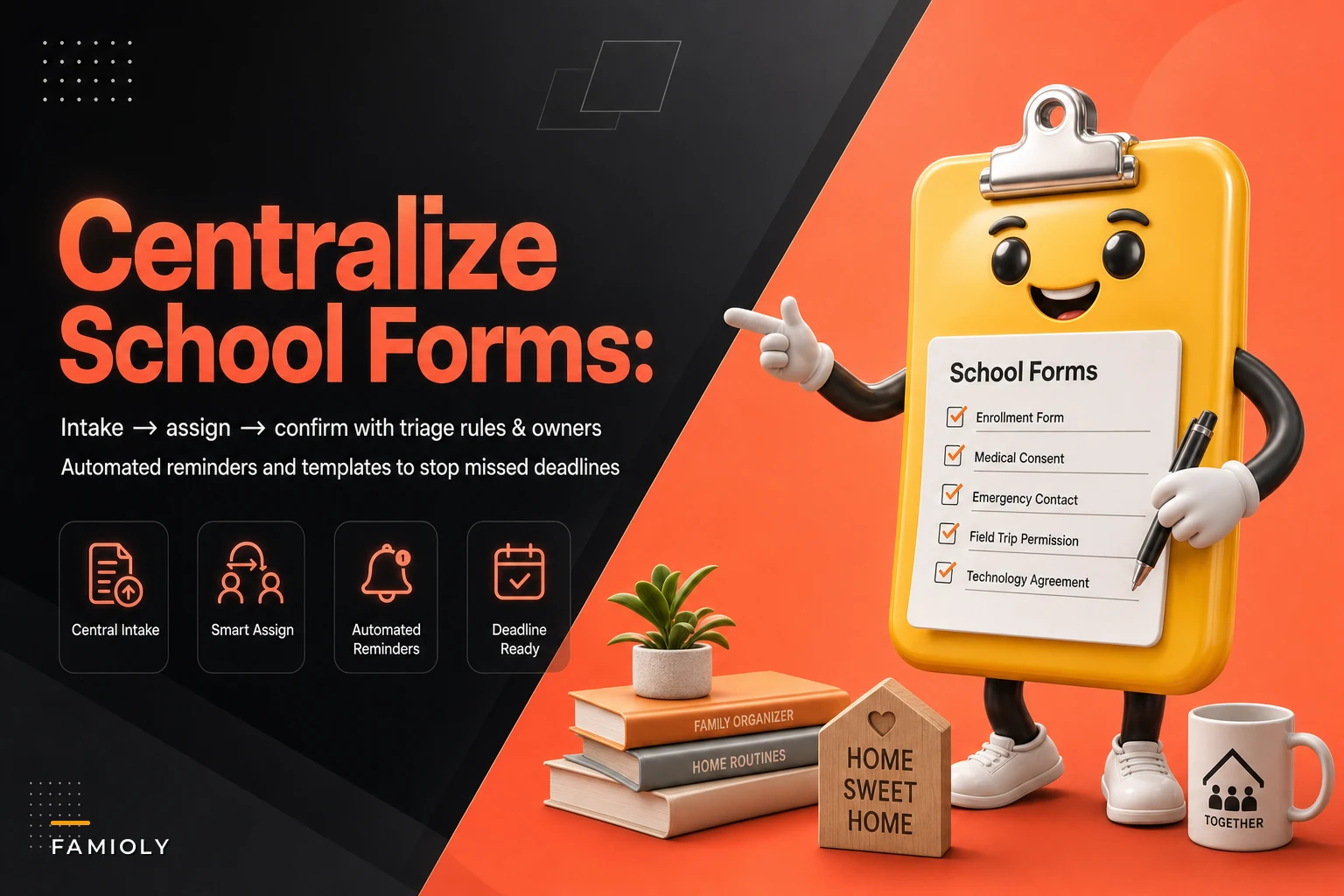

The field trip form that never made it back to the teacher doesn't get lost dramatically. It slips into a backpack, migrates to the bottom of a bin, and reappears the morning it's due — signed by nobody, folded into quarters, with a $12 payment attached that you're now scrambling for in exact change.
The paperwork problem nobody fully solves
The field trip form that never made it back to the teacher doesn't get lost dramatically. It slips into a backpack, migrates to the bottom of a bin, and reappears the morning it's due — signed by nobody, folded into quarters, with a $12 payment attached that you're now scrambling for in exact change.
Multiply that by two or three kids. Add sports physicals, a summer camp medical form, the yearly emergency contact update, the reading log that needs a signature every Friday, and the picture-day envelope. You're not dealing with "a form." You're running an intake queue with no owner, no due dates, and no confirmation step. That's why things fall through.
The fix isn't a better folder. It's a small workflow — intake → assign → confirm — with a couple of triage rules and reminder cadences so nothing sits in limbo. This post is specifically about that. Not household management in general. Just the machinery that keeps school paperwork from disappearing.
Why forms actually get lost (it's not forgetfulness)
School paperwork is uniquely annoying because it arrives through every channel at once, and each channel has a different expiration.
Stop losing track of household duties.
Famioly helps you organize, assign & complete family tasks efficiently.
- Centralized task management
- Shared family calendar
- Budget & expense tracking
No credit card required
-
A paper slip in a backpack
-
An email from the teacher
-
A PDF in a parent portal that logs you out every time
-
A text in a class group chat
-
A flyer taped to the kid's shirt with the info you actually needed
Each has a return path and a deadline, but you never see them side by side. The real failure isn't forgetting — it's that a form entered your life and never got logged as something that needs doing. If it's not written down with a due date and an owner, it lives only in whoever happened to see it. Usually a 9-year-old.
The second failure is the handoff gap. You sign the form. But signed-and-in-your-hands isn't the same as back at school. A significant chunk of missed deadlines happen in that last stretch — the form is done, but nobody confirmed it physically returned. No confirmation step means you find out it's missing when the teacher emails.
The intake-assign-confirm workflow
Three stages. The third one is the one everybody skips.
-
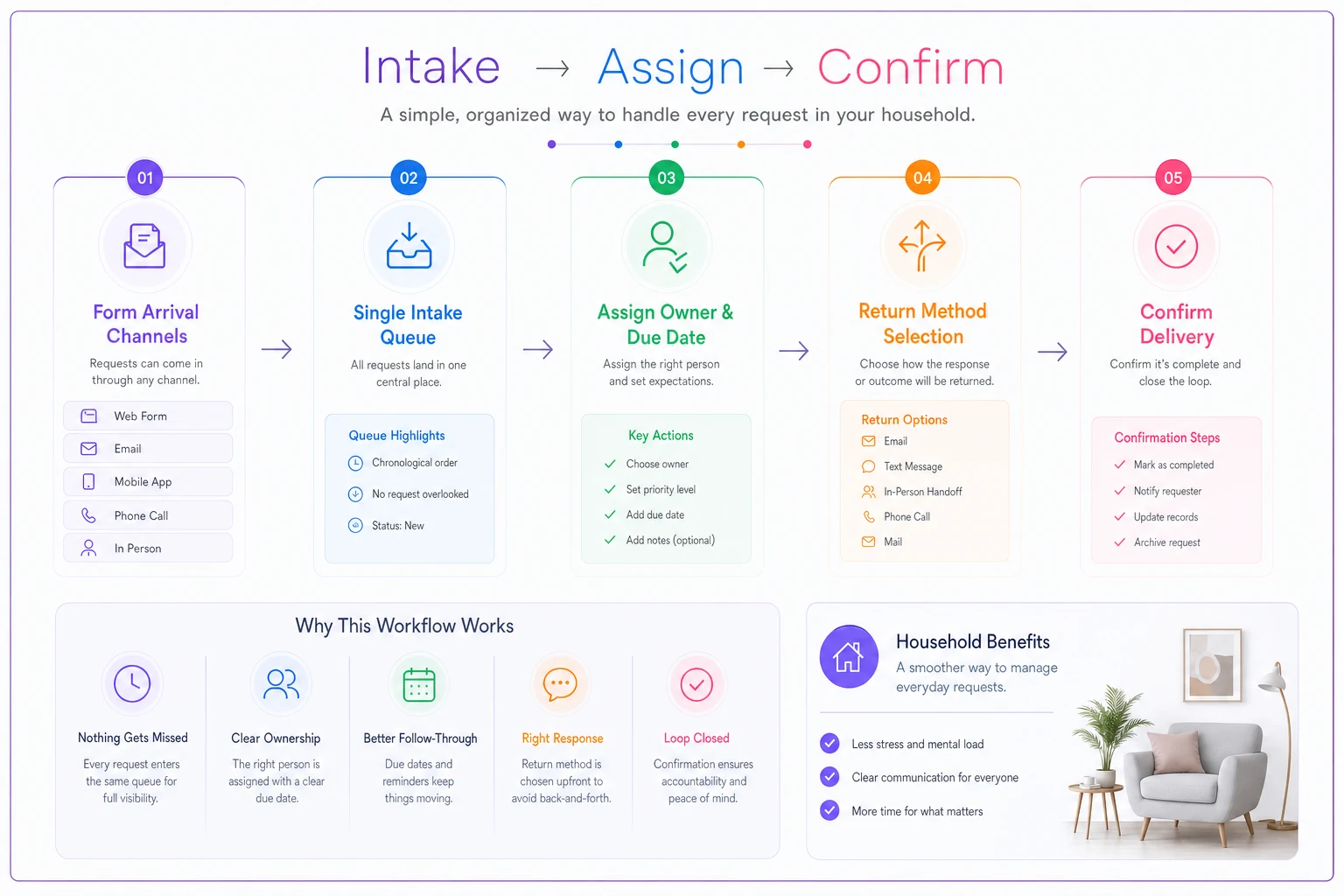
Intake — Every form gets captured in one place the moment it appears, regardless of which channel it came through. Snap a photo, forward the email, drop the PDF. One inbox. The rule: if it touches a kid's schedule and needs a signature or payment, it goes in the queue.
-
Assign — Each form gets an owner, a due date, and a return method (paper, portal, email, in-person payment). Decide who and by when now, not later.
-
Confirm — The form isn't done until it's verified back with the school. A photo of it in the teacher's tray, a portal confirmation screenshot, or a quick "handed it to Mr. Lopez" note. This is what closes the loop.
The third step feels like overkill until your kid swears they turned it in and the school has no record. Confirmation is what turns "I think we did that" into an actual fact.
Here's how the full flow looks in practice:
Triage rules so you're not treating everything equally
Not every form deserves the same urgency. A reading log signature is low-stakes and recurring. A sports physical blocking tryouts is hard-blocking and high-stakes. Sort by two questions: does missing it block something the kid cares about, and does it involve money?
| Form type | Urgency | Owner default | Cadence |
|---|---|---|---|
| Medical / sports physical | High (hard block) | Whoever schedules doctor | Reminder at 14, 7, 2 days |
| Field trip + payment | High (money + deadline) | Payment-holder parent | Reminder at 7, 3, 1 days |
| Emergency contact / annual update | Medium | Either parent | One reminder, 5 days out |
| Photo / spirit-wear order | Low (optional) | Either | Single nudge, drop if ignored |
| Weekly reading log / signature | Recurring low | Kid + one parent | Standing Friday reminder |
The point of triage is permission to not stress equally over everything. The photo order can genuinely be dropped. The physical cannot. When you don't separate them, every form feels urgent and you burn out on the system by week three.
This table isn't meant to be rigid. Adjust it to what actually comes through your kids' schools — some will send almost nothing on paper, others will bury you in it.
Reminder cadences that actually work
The mistake people make is setting a single alert the day before. That's too late for anything requiring a doctor's appointment, a check, or a signature from a co-parent who isn't in the house tonight.
-
Needs an appointment (physicals, dental forms)
first reminder 2 weeks out, because the bottleneck is scheduling, not signing.
-
Needs a payment
reminder early enough to move money or get cash, plus a day-before nudge.
-
Needs a co-parent's signature
this is the sneaky one. Build in travel time between two households. If you share custody, a same-day deadline is basically impossible — standing checklists and minimum communication scripts between households apply directly here.
-
Just needs your signature
one reminder, done.
A cadence built around the actual work behind a form beats a generic countdown every time. A 24-hour alert for something that requires a doctor's visit scheduled two weeks prior isn't a reminder — it's a stress notification.
When this is worth setting up — and when it isn't
When it makes sense: two or more kids, any shared-custody arrangement, or a household where more than one adult handles signing things. The coordination overhead is where the value shows up. Single kid, single signer, low form volume? A shared note might genuinely be enough.
When it's a bad idea: if logging a form takes longer than signing it, you've already lost. The whole thing has to be faster than the chaos it's replacing. If intake takes more than ten seconds per form, you've overcomplicated it.
Who should skip the formal version: parents of a single older kid who reliably manages their own paperwork. Forcing a workflow on a responsible teenager mostly creates friction. In that case, your only job is the confirm step — a weekly "anything due I need to sign?" check-in.
Templates for the common school workflows
You don't need a template for every possible form. You need a handful of reusable ones that cover most of what comes through.
Intake capture template (one line per form):
-
Form name / kid / date received
-
Channel it came from
-
Due date
-
Owner
-
Return method
-
Status
intake / assigned / confirmed
Field trip template:
-
Signature needed? Payment amount? Return-by date?
-
Cash vs. check vs. portal
-
Confirm
photo of form and payment handed in
Medical/physical template:
-
Appointment booked? (date)
-
Form completed by provider?
-
Copy saved for our records?
-
Confirm
submitted to school and copy kept
Recurring weekly signature template:
-
Standing task, same day each week
-
Owner
kid brings it, parent signs, kid returns
-
Confirm
quick check Friday afternoon
Saving copies of medical and emergency forms pays off because schools ask for the same information across multiple forms every year. Once the underlying info is centralized — allergies, doctor, insurance, emergency contacts — you're filling things out from a source of truth instead of digging through your memory every August.
A real scenario
A two-parent household with three kids in different grades was missing roughly one form deadline a month — a late trip payment here, a physical that held up soccer signups there. Nothing catastrophic, but a steady drip of last-minute cash runs, apologetic teacher emails, and at one point a $25 late fee for a camp deposit that got buried.
They set up a single intake inbox — literally one shared note and a photo folder — and added the triage table above. Every form got photographed the day it arrived and assigned an owner within 24 hours.
The change that mattered most wasn't the intake. It was the confirm step. They started requiring a photo of the form actually back in the teacher's hands.
Missed deadlines dropped to basically zero over the following semester. The few near-misses got caught by the 7-day reminder instead of a night-before panic. Not a dramatic transformation — just a quiet, steady one where paperwork stopped being a source of surprise.
Keeping it running without babysitting it
The system breaks in predictable ways. Someone stops logging forms because they're "just going to sign it now" — and that's the exact form that vanishes. The one non-negotiable habit: log first, sign second. Even the easy ones.
The one non-negotiable habit: log first, sign second.
The second failure point is confirmation drift. After a few smooth weeks, people stop checking whether forms actually got returned. That's when the mid-semester teacher email shows up again. Keep the confirm step even when it feels unnecessary.
A lightweight household workflow tool earns its place exactly here — one shared intake queue, assigned owners, and reminders that fire on the cadence you set instead of relying on someone remembering. The value isn't sophisticated automation. It's that the sports physical reminder goes off two weeks out on its own, and both parents see the same status instead of each assuming the other handled it. That shared visibility is what usually closes the gap between "signed" and "actually returned."
Bottom line
School paperwork gets lost because it enters your life through multiple channels, never gets logged as a real task, and has no confirmation step at the end. Fix those three things — capture everything in one intake queue, assign an owner and due date, confirm the form physically made it back — and the last-minute mornings mostly stop happening.
Add triage so you're not treating a photo order with the same urgency as a physical, and build reminder cadences around the actual work each form requires. That's the whole system. It's small on purpose, because a system bigger than the problem is the one you'll abandon by October.
School paperwork gets lost because it enters your life through multiple channels, never gets logged as a real task, and has no confirmation step at the end. Fix those three things — capture everything in one intake queue, assign an owner and due date, confirm the form physically made it back — and the last-minute mornings mostly stop happening.
Add triage so you're not treating a photo order with the same urgency as a physical, and build reminder cadences around the actual work each form requires. That's the whole system. It's small on purpose, because a system bigger than the problem is the one you'll abandon by October.
Ready to simplify your household management?
Join thousands of families using Famioly to save time, reduce home management stress, and keep the household running smoothly.